
Cyber Security
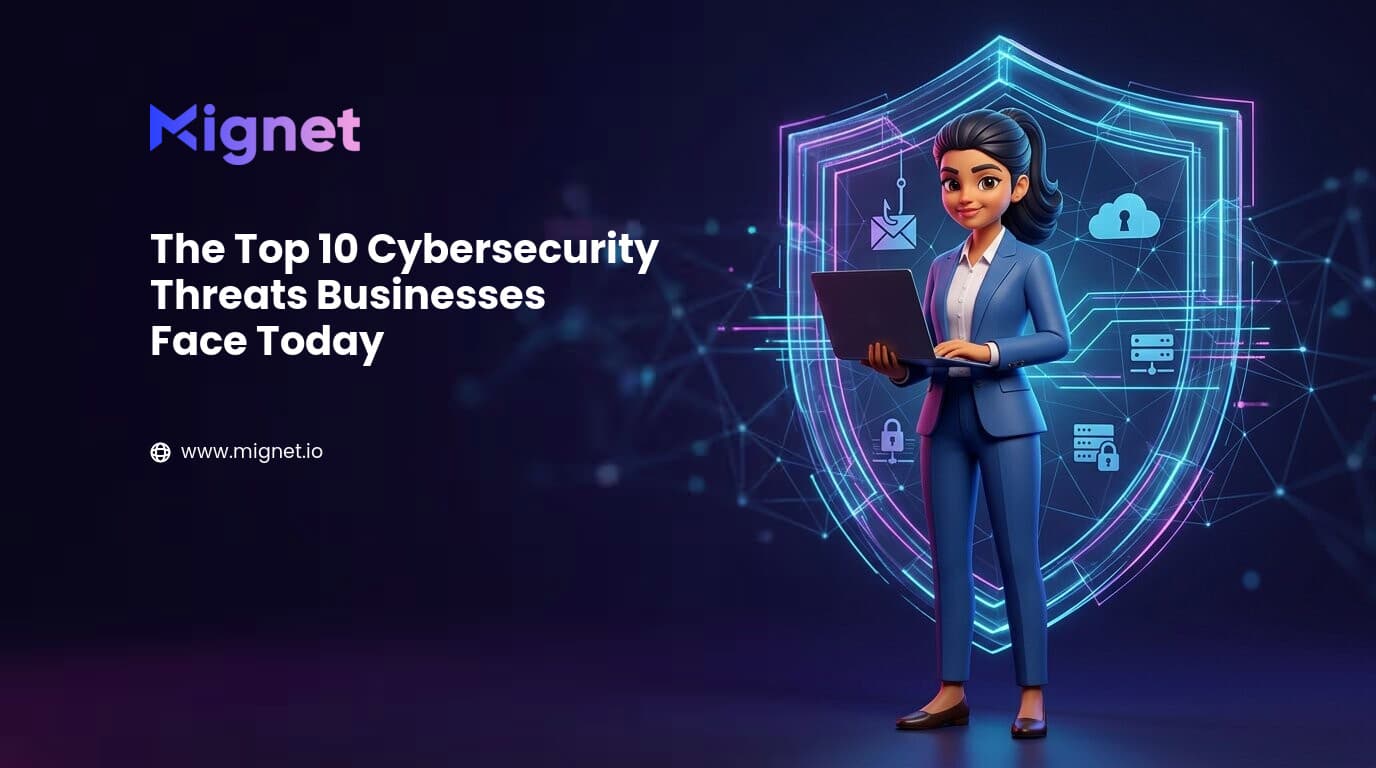
The Top 10 Cybersecurity Threats Businesses Face Today
Quick answer
The top cybersecurity threats facing businesses include phishing, ransomware, business email compromise (BEC), insider threats, malware, cloud misconfiguration, weak passwords, DDoS attacks, unpatched software and third-party supply-chain risks. Businesses can reduce exposure with employee training, multi-factor authentication, tested backups, timely patching, least-privilege access and continuous monitoring.
Protecting your business in an increasingly connected digital world
Cybersecurity threats against businesses grow as organizations adopt cloud computing, remote work, SaaS applications and connected devices. A single security incident can interrupt operations, expose customer or company data, trigger financial losses and regulatory obligations, and weaken customer trust. Small businesses and large enterprises alike can be targets.
At Mignet Technologies, cybersecurity is integrated into modern IT infrastructure to help organizations secure networks, systems, data and users against evolving threats. This guide explains ten common business cyber risks and the controls that help reduce them.
1. Phishing attacks
Phishing uses deceptive emails, text messages, websites or social engineering to trick people into sharing passwords, payment details, customer information or company credentials. Messages may imitate a colleague, bank, supplier or cloud service. One employee entering a password on a fake sign-in page can give an attacker access to business email and other connected systems.
Defenses work best in layers, combining employee awareness, stronger sign-in protection and a clear approval process for sensitive actions. Make it easy for staff to report suspicious messages without blame.
How to prevent phishing attacks
- Run regular, practical cybersecurity awareness training and simulated phishing exercises.
- Use business email security with malicious-link and attachment scanning, spoofing protection and safe reporting tools.
- Require multi-factor authentication (MFA), prioritizing phishing-resistant methods for administrators and finance staff.
- Verify payment, payroll and credential requests through a known, separate communication channel.
2. Ransomware attacks
Ransomware encrypts files or systems and demands payment to restore access. Many current incidents also involve data theft before encryption, so victims may face both operational downtime and threats to publish sensitive information. Recovery can take days or weeks if backups are incomplete, unavailable or have never been tested.
Reducing ransomware risk means limiting initial access, containing malware quickly and ensuring recovery works. Paying a ransom does not guarantee that data will be returned or deleted.
How to reduce ransomware risk
- Keep multiple, tested backups, including an offline or immutable copy separated from everyday network credentials.
- Deploy endpoint detection and response (EDR) or equivalent endpoint protection, with alerts actively reviewed.
- Patch internet-facing systems and critical software promptly; remove unsupported applications where possible.
- Segment networks, restrict administrator privileges and rehearse an incident-response and recovery plan.
3. Business email compromise (BEC)
Business email compromise is a targeted fraud in which an attacker impersonates an executive, supplier or trusted contact—or takes over a real mailbox. The attacker may request an urgent transfer, change invoice bank details, redirect payroll or ask for confidential files. Because the conversation can look authentic, ordinary spam filters may not catch it.
Because a fraudulent request may look legitimate, protect email identities and require a separate approval step for payment or account changes.
How to prevent business email compromise
- Configure and monitor email authentication protocols: SPF, DKIM and DMARC.
- Require MFA for email and finance accounts, and alert on suspicious sign-ins and mailbox-forwarding rules.
- Use a documented callback or dual-approval process to confirm new payment instructions and bank-detail changes.
- Train employees to spot impersonation, unexpected urgency and requests that bypass normal approval channels.
4. Insider threats
Insider risk can involve current or former employees, contractors or third-party users with legitimate access. Harm may be intentional, such as copying sensitive files, or accidental, such as sending a customer record to the wrong recipient. Compromised insider credentials can also make an external attacker appear to be a trusted user.
Give each person only the access needed for their role, and review permissions as responsibilities change.
How to reduce insider risk
- Apply role-based access and least privilege across business applications, cloud storage and administrative accounts.
- Use joiner, mover and leaver procedures to create, change and promptly remove access.
- Monitor access to sensitive systems and use data loss prevention (DLP) controls where appropriate.
- Review permissions and vendor access regularly, and provide safe ways to report mistakes or concerns.
5. Malware infections
Malware is malicious software that can steal data, spy on users, disrupt systems or give an attacker remote access. It includes viruses, Trojans, spyware, worms and other unwanted software. It can arrive through a malicious attachment, compromised website, pirated application, removable drive or an exploited vulnerability.
Combine endpoint protection with safer web and application use, then keep devices and software updated.
How to prevent malware infections
- Use centrally managed endpoint protection and investigate alerts rather than relying on a one-time installation.
- Filter risky websites and scan email links and attachments before users open them.
- Install operating-system and application updates from trusted sources as soon as practical.
- Limit local administrator rights and allow only approved business applications where feasible.
6. Cloud security risks
Cloud platforms make it easier to scale, but misconfigured storage, overly broad permissions, exposed keys and weak monitoring can put business data at risk. Cloud security is a shared responsibility: providers secure parts of the underlying service, while customers remain responsible for items such as identities, data, configuration and many workloads.
Understand which party secures each layer, then regularly check identities, public exposure, logging and data-protection settings.
How to reduce cloud security risks
- Assess cloud configurations for public storage, exposed services and excessive permissions.
- Use centralized identity and access management, MFA and least-privilege roles.
- Encrypt sensitive data in transit and at rest, and manage encryption keys securely.
- Enable logging and alerts for unusual access, configuration changes and data movement.
7. Weak password practices
Weak, reused or shared passwords make account takeover easier. Attackers use automated guessing and credential-stuffing tools that try passwords exposed in unrelated breaches. A password alone may not protect a cloud email account, remote access portal or finance system if credentials have already been stolen.
Make passwords unique, remove shared credentials and add a second authentication factor to important accounts.
How to improve password security
- Require unique, long passphrases and block known-compromised passwords.
- Provide a business password manager so staff do not reuse or store credentials in plain text.
- Enable MFA for email, remote access, administrators and business-critical cloud applications.
- Review accounts and credentials when an employee leaves or a device or password is exposed.
8. Distributed denial-of-service (DDoS) attacks
A distributed denial-of-service attack floods a website, application or network with traffic from many devices, making a service slow or unavailable to legitimate users. Outages can interrupt online sales, customer access and internal operations. DDoS attacks may also be used to distract teams while another incident is taking place.
Agree on protection and escalation steps with hosting, network and cloud providers before an outage occurs.
How to reduce DDoS impact
- Use a suitable DDoS mitigation service, content delivery network (CDN) or web application firewall (WAF).
- Monitor network and application traffic for unusual volume or behavior.
- Design critical services to scale or fail over where the business impact justifies it.
- Keep provider escalation contacts and a customer communications plan in your incident runbook.
9. Unpatched software vulnerabilities
Outdated operating systems, applications, firewalls and network devices can contain publicly known flaws. Attackers scan for exposed systems that have not received security updates and may exploit them to steal data, install malware or gain a foothold in a network. Delayed patching is especially risky for internet-facing and business-critical systems.
Maintain an accurate asset inventory, prioritize fixes by exposure and severity, and verify that patches were successfully applied.
How to manage software vulnerabilities
- Automate patch deployment where appropriate and define clear timelines for critical updates.
- Run regular vulnerability assessments and prioritize internet-facing and business-critical assets.
- Maintain an IT asset inventory that includes operating systems, applications and network devices.
- Track exceptions, monitor exposed services and replace software that is no longer supported.
10. Supply chain and third-party risks
Vendors, managed service providers, software suppliers and business partners may have access to company systems or data. A breach at one trusted supplier can create a route into several connected organizations. Third-party failures can also interrupt essential services or create privacy and compliance obligations for customers.
Understand which providers can access what, and make security and incident communication part of the relationship—not just procurement paperwork.
How to reduce supply-chain risk
- Keep an inventory of critical vendors and assess their security controls in proportion to the access and data they handle.
- Limit third-party accounts to the systems and time period needed, and require MFA for remote access.
- Review relevant security certifications, incident history, subcontractors and data-handling practices.
- Set security, breach-notification, access-removal and recovery expectations in contracts and service reviews.
Building a modern business cybersecurity strategy
Cybersecurity is more than installing antivirus. A resilient program combines people, repeatable processes and layered technology, guided by the business impact of losing access to systems or data. Start with a clear view of assets and risks, assign owners, then test whether the controls work in practice.
Core elements to put in place
- Security awareness training and clear procedures for reporting suspicious activity.
- Managed IT support, endpoint protection, network security and cloud security controls.
- MFA, role-based access, least privilege and regular account reviews.
- A documented patch and vulnerability management process backed by an accurate asset inventory.
- Encrypted, isolated backups with scheduled restore tests and a disaster-recovery plan.
- Continuous monitoring, incident response contacts and a rehearsed business-continuity plan.
- Risk-based security assessments for systems, sites and third-party providers.
How Mignet Technologies can help
Mignet Technologies helps businesses strengthen cybersecurity as part of their IT environment. Our team can assess current risks, improve security controls and support day-to-day operations so organizations can reduce exposure and recover more confidently from incidents.
Cybersecurity and IT services
- Managed IT services and IT infrastructure management.
- Network security solutions and endpoint protection.
- Cloud security services and cybersecurity consulting.
- Security monitoring and support.
- Backup and disaster recovery planning.
Conclusion: make cybersecurity a business priority
Cyber threats evolve, and organizations of every size are potential targets. Phishing, ransomware, cloud weaknesses, insider risk and supplier incidents can all interrupt operations or expose sensitive data. No single product removes every risk; consistent controls, informed employees and tested recovery plans make a measurable difference.
Review your most important systems, close the gaps that matter most and revisit your plan as your business changes. Working with experienced IT and cybersecurity providers such as Mignet Technologies can help protect business continuity, customer trust and long-term growth.
Key takeaways
- Phishing and business email compromise target people and trusted workflows; verify unusual requests and protect sign-ins with MFA.
- Ransomware resilience depends on tested, isolated backups, endpoint detection, timely patching and a rehearsed recovery plan.
- Cloud, network, endpoint and vendor security all need clear ownership, least-privilege access and ongoing monitoring.
- A strong cybersecurity strategy combines people, documented processes and layered technical controls—not antivirus alone.
- Review risks regularly and prioritize controls around the systems and data your business cannot afford to lose.
Frequently Asked Questions
What is the biggest cybersecurity threat facing businesses today?
Phishing remains one of the most common routes attackers use to steal credentials or deliver malware, although the greatest risk depends on each organization's systems and exposure. Strong email security, employee training and MFA reduce the chance that one deceptive message becomes a wider incident.
Why are small businesses targeted by cybercriminals?
Small businesses hold valuable data and often rely on a limited IT team, which can leave gaps in patching, backups or account security. Attackers may also use a smaller supplier as an entry point to reach larger customers.
What is ransomware, and how does it affect businesses?
Ransomware is malicious software that encrypts files or systems and demands payment for recovery. Some attacks also steal data, so a business may face downtime, recovery costs, data exposure and reputational harm even if it can restore from backup.
How can businesses protect themselves from phishing attacks?
Train employees to recognize and report suspicious messages, use email filtering and link protection, and require MFA on business accounts. Verify unexpected payment, password-reset or sensitive-data requests through a separate trusted channel before acting.
What are insider threats?
Insider threats are risks involving people with legitimate access, including employees, contractors and vendors. They may be intentional or accidental—for example, misuse of access, compromised credentials or an email sent to the wrong recipient.
Why is cloud security important?
Cloud applications and storage can expose sensitive information when permissions, identities or settings are misconfigured. Organizations remain responsible for securing many parts of their cloud use, so access controls, encryption and monitoring need regular review.
What is multi-factor authentication (MFA)?
MFA asks a user to prove identity with at least two different factors, such as a password plus an authenticator-app prompt or security key. It makes a stolen password alone less useful to an attacker.
How often should businesses conduct cybersecurity assessments?
Many businesses should complete a formal cybersecurity assessment at least annually and track remediation between reviews. Assess more often after major technology or supplier changes, significant incidents, or when regulation and data sensitivity require it.
What is a distributed denial-of-service (DDoS) attack?
A DDoS attack overwhelms a website, application or network with traffic from many sources, making it difficult for legitimate users to connect. DDoS mitigation, traffic monitoring and an agreed provider response plan help reduce disruption.
Why is software patching important?
Software updates often fix security weaknesses that attackers already know how to exploit. A reliable patch process reduces the time systems remain exposed and helps keep operating systems, applications and network devices supported.
What are supply-chain cybersecurity risks?
Supply-chain risks arise when a vendor, partner or service provider is compromised or cannot deliver a critical service. Limiting third-party access, checking security practices and agreeing on incident notification helps manage the risk.
How can businesses improve their overall cybersecurity posture?
Start with an asset and risk review, then prioritize MFA, endpoint and email protection, timely patching, least-privilege access, staff training, monitored networks and tested backups. Document incident and recovery steps, and review them as the business changes.
What role do employees play in cybersecurity?
Employees are an important part of the first line of defense because they use email, cloud tools and business devices every day. Practical training helps them identify suspicious activity, protect accounts and report concerns early.
How does cybersecurity support business continuity?
Cybersecurity controls can prevent or limit incidents, while tested backups and response plans help restore services if something goes wrong. Together they reduce avoidable downtime and help protect the data and systems business operations depend on.
How can Mignet Technologies help businesses stay secure?
Mignet Technologies provides managed IT services, network and cloud security, endpoint protection, security monitoring, IT infrastructure management, backup and disaster recovery, and cybersecurity consulting. The right mix depends on each organization's systems, risks and business priorities.

Mignet
Mignet is a UAE-headquartered strategic technology partner, delivering enterprise-grade digital transformation and managed IT services to organizations across the GCC and Middle East.
Related articles Mignet
You're Paying for IT Every Month. But Are You Actually Preventing Problems?
Discover how proactive IT management reduces downtime, improves cybersecurity, and prevents costly disruptions. See how Mignet helps businesses stay ahead.
Read more
7 Signs Your Company Needs a Managed Service Provider
Discover the top 7 signs your business needs a Managed Service Provider that helps to improve IT performance, security, & scalability for growth.
Read more
Why Businesses Are Outsourcing IT Support in 2026
Learn how Mignet Technologies can help your company stay secure and scalable & discover why businesses are outsourcing IT support in 2026.
Read moreReady to simplify your IT? Mignet
Get a free IT audit and an AMC quote within 1 hour. No obligation.